Behind the interface · Inside the theater
A geometry you
can enter.
The Isotropic Vector Matrix. The Vector Equilibrium. A menu that became a laboratory.
Manifolds begins with a practical question: how do you make room for one more book, chapter or world? Follow that question from a turning menu into an instrument for exploring the rules that give a collection its shape.
The geometric background
A matrix, a local balance, a way in.
IVM stands for Isotropic Vector Matrix. In R. Buckminster Fuller’s Synergetics, it is the spatial network obtained by connecting neighboring centers in a closest packing of equal spheres. Its repeating framework forms tetrahedra and octahedra. It gives us a way to think about space through connections and neighborhoods. Read Fuller’s account of the IVM.
The Vector Equilibrium, or VE, is a local configuration within that framework. Its familiar cuboctahedral form has twelve vertices, eight triangular faces and six square faces. In the regular geometry, the twelve connections from the center to its outer vertices have the same length as its twenty-four outer edges. See Fuller’s description of the VE.
Here, those relationships become something you can navigate. The VE supplies the menu’s seed geometry; the wider inquiry asks what happens when destinations, contents and organizing rules change.
From geometry to navigation
A choice has a place. A place has a context.
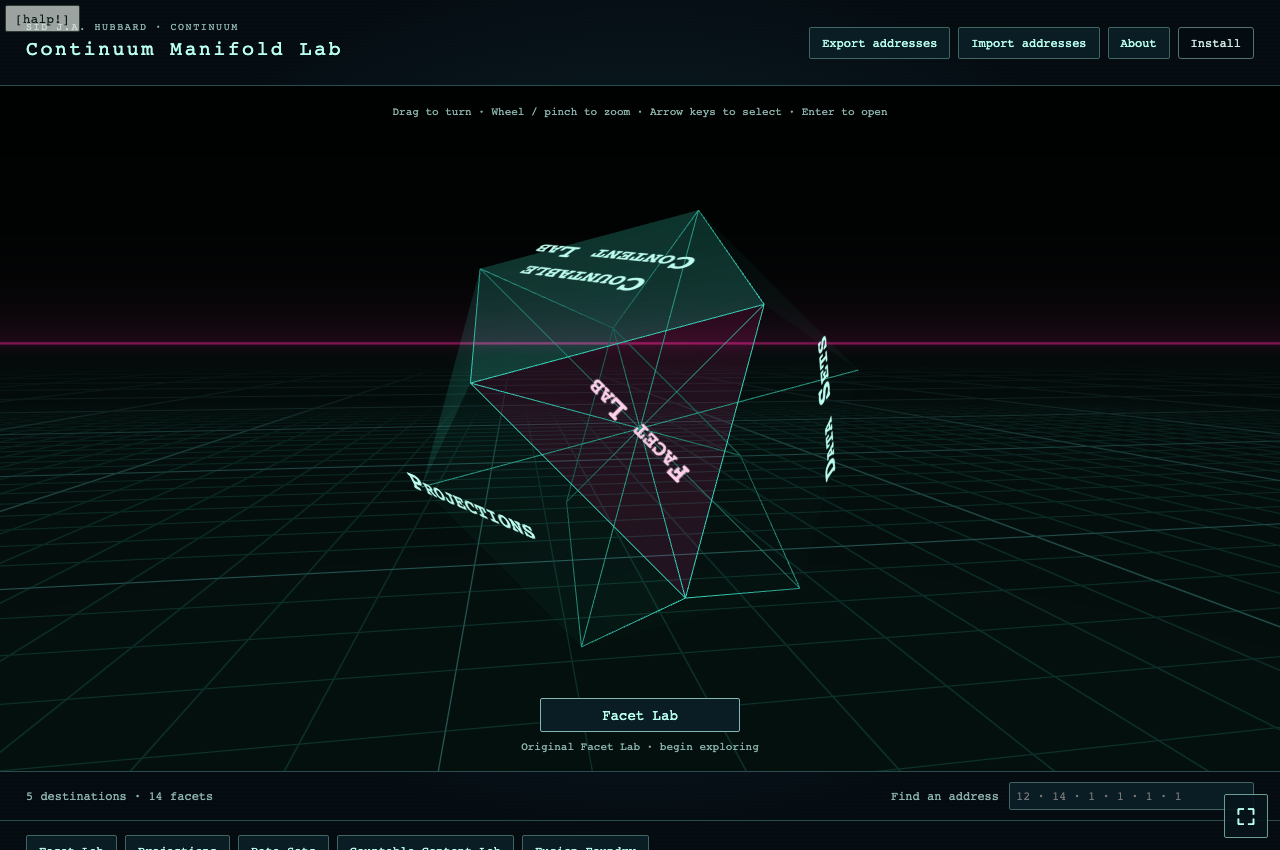
A facet can carry a destination. Turn the enclosure and another part of the collection comes into view. Enter a destination and a new room holds the choices inside it: a collection, a book, its chapters. Back returns you to the enclosing context.
The original VE has fourteen faces. Larger collections need rules for making more surface available. The menu system uses native face subdivision and territories to organize destinations as the inventory grows. What matters is how the construction receives its contents: which choices become neighbors, how much surface they occupy, and how a reader reaches them.
The Causality & Attraction VE reader puts this approach to work across volumes and chapters, with narration and transcript text connected to the reading experience. The geometry is an operating interface: rotate it, choose a destination and enter.
Try the instrument
Change the rules.
See what becomes possible.
The Continuum Manifold Lab grew out of the menu problem. It exposes the construction’s organizing conditions so you can compare the geometries they produce.
- Begin with Facet Lab. Change a configuration and examine the geometry it produces. Turn it and zoom to inspect the surface.
- Give a construction an address. Save a configuration and it becomes a destination on the lab’s menu. Its numerical address records the settings that generated it.
- Keep exploring. Open Projections and Data Sets to explore other views and inputs. Return to your saved configurations and compare what changes.
Addresses are saved in your browser. Export them to keep a portable copy or import them elsewhere. The lab runs in a browser with JavaScript and WebGL 2; no account is required.
Manifolds · Series II, Volume IV
Watch the inquiry unfold.
In Manifolds, Sid J.A. Hubbard follows an interface built for a growing collection into questions of enclosure, countable addresses, geometric surfaces and observers. The practical work of making a useful menu becomes a way to investigate the conditions that make different organizations possible.
The theater’s Manifolds Menu System edition presents the work through its authored Manifold Lab performance. You can also open Manifolds in the theater’s other presentation, or go straight to the live lab and explore for yourself.